Staff system for restaurants
The rota in one hour instead of four.
A staff system built for hospitality and set up for exactly how you work. The manager works from a computer or phone, and staff use their phones. One-off price, no per-employee fee.
Launch offerUntil the end of November: the staff system from NOK 12,900 (normally from NOK 20,000).
Tour
See what it looks like
The images are from the demo, a copy of the system with fictitious data. Pick a topic, or try the demo yourself.
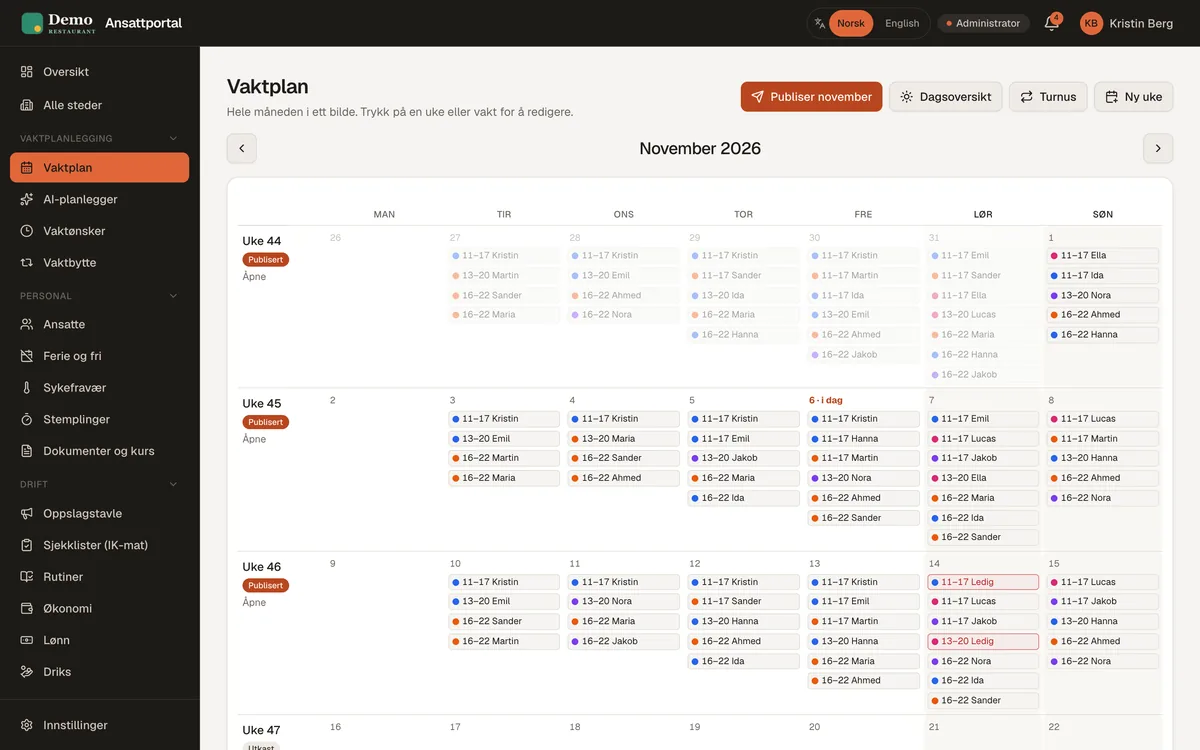
The whole month on one board
Publish the rota when it is ready. Staff get it on their phones and confirm their shifts.
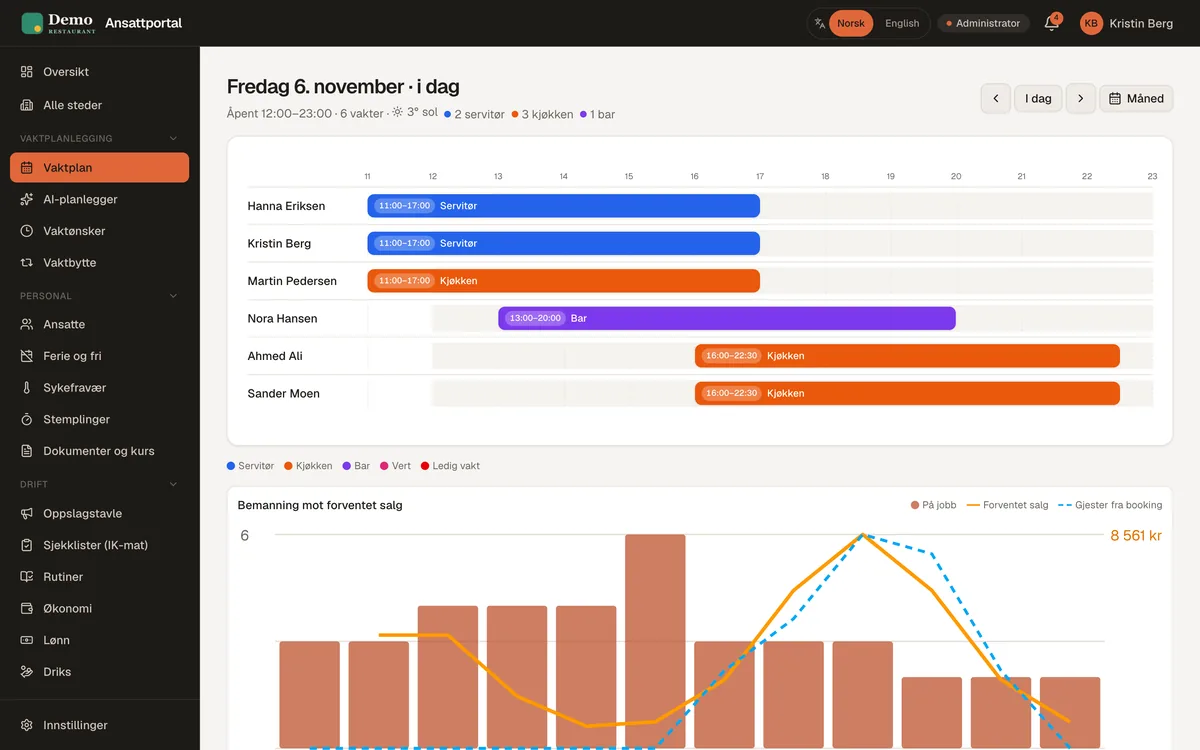
Staffing against expected sales
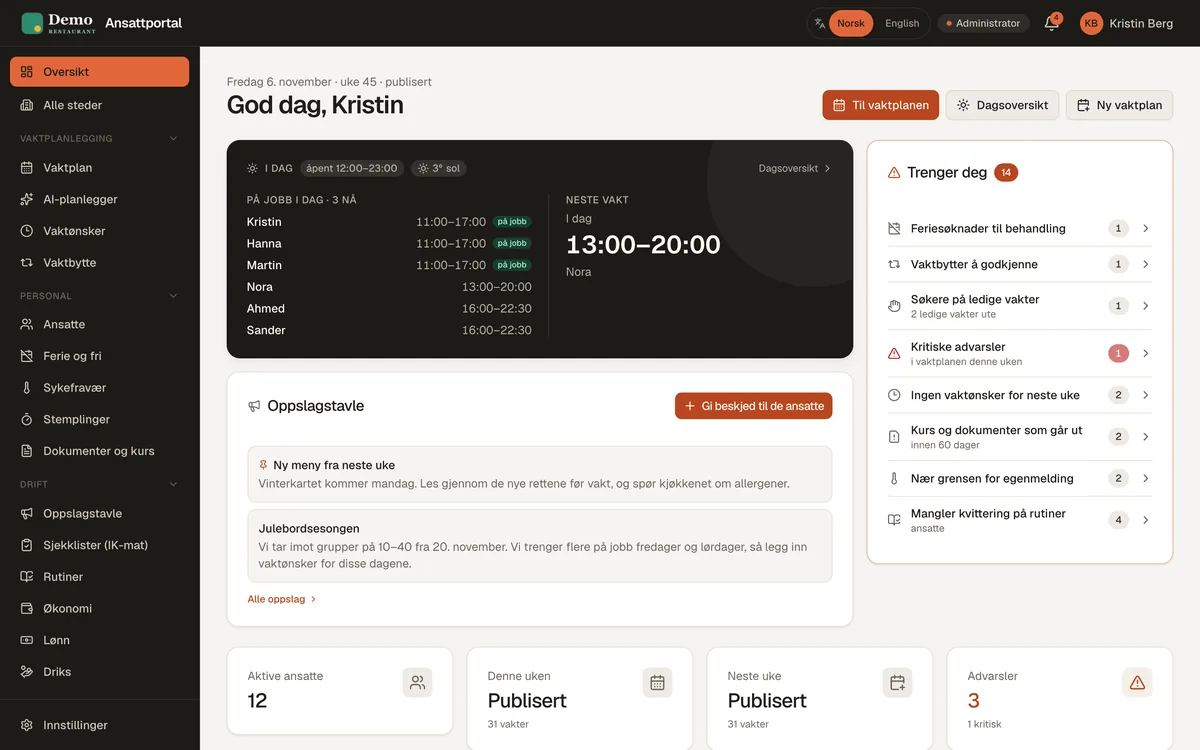
See who works when, and whether staffing matches expected sales and table bookings.
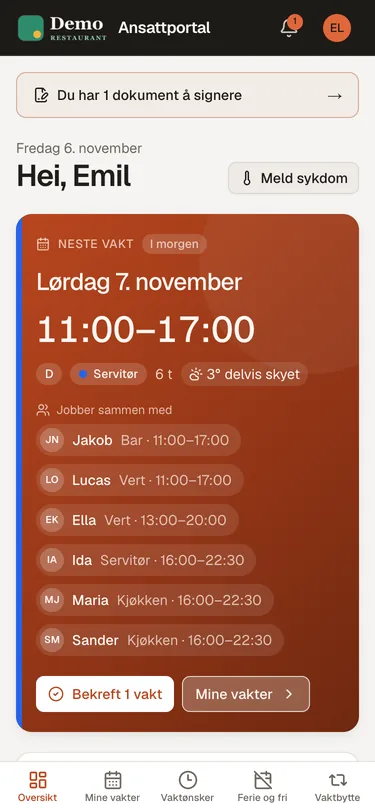
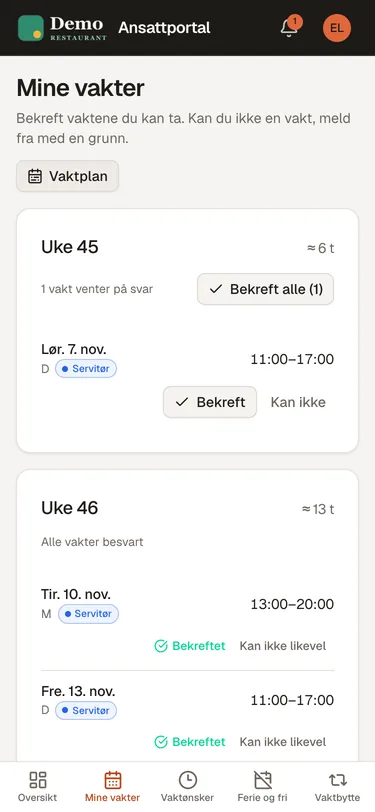
What staff see
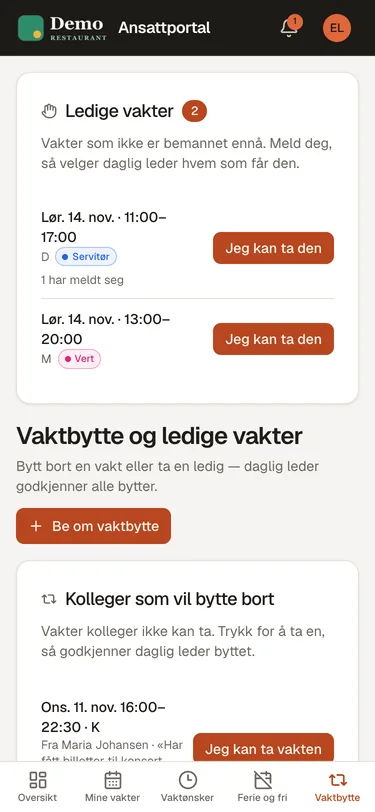
The next shift, who they work with, shifts to confirm, and calling in sick with one tap.
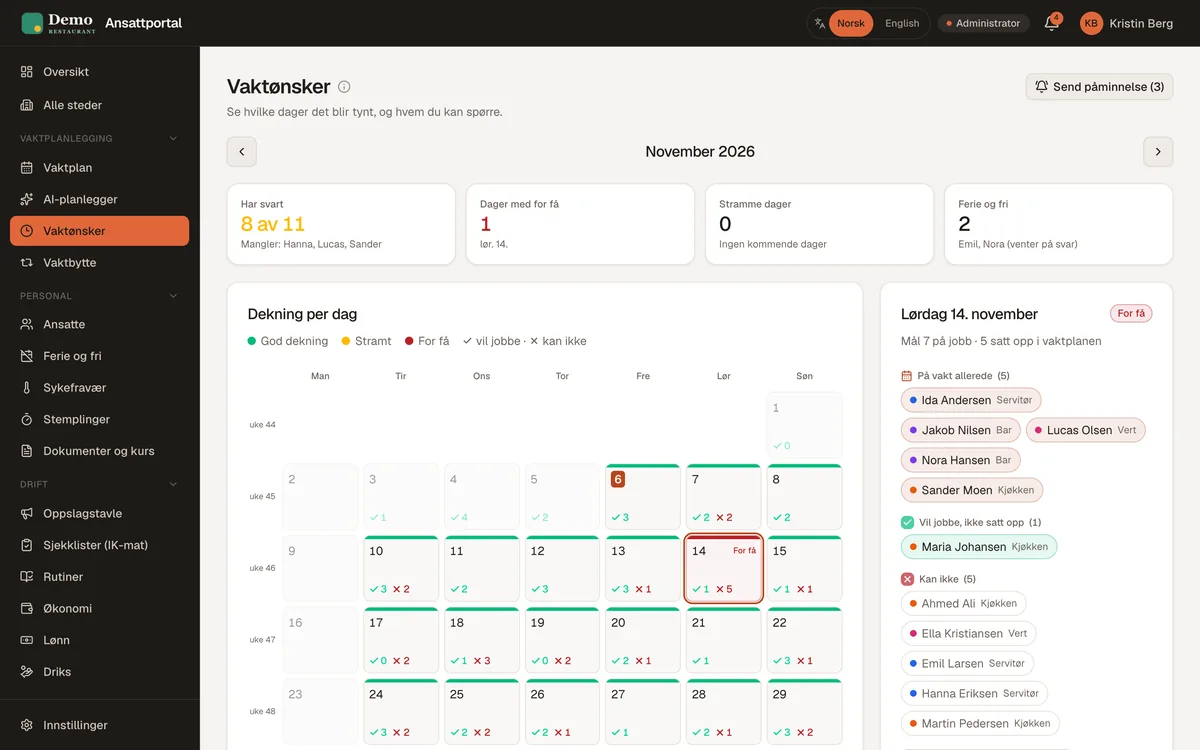
Wishes and coverage per day
Staff mark days green, yellow or red. You see straight away which days will be thin.
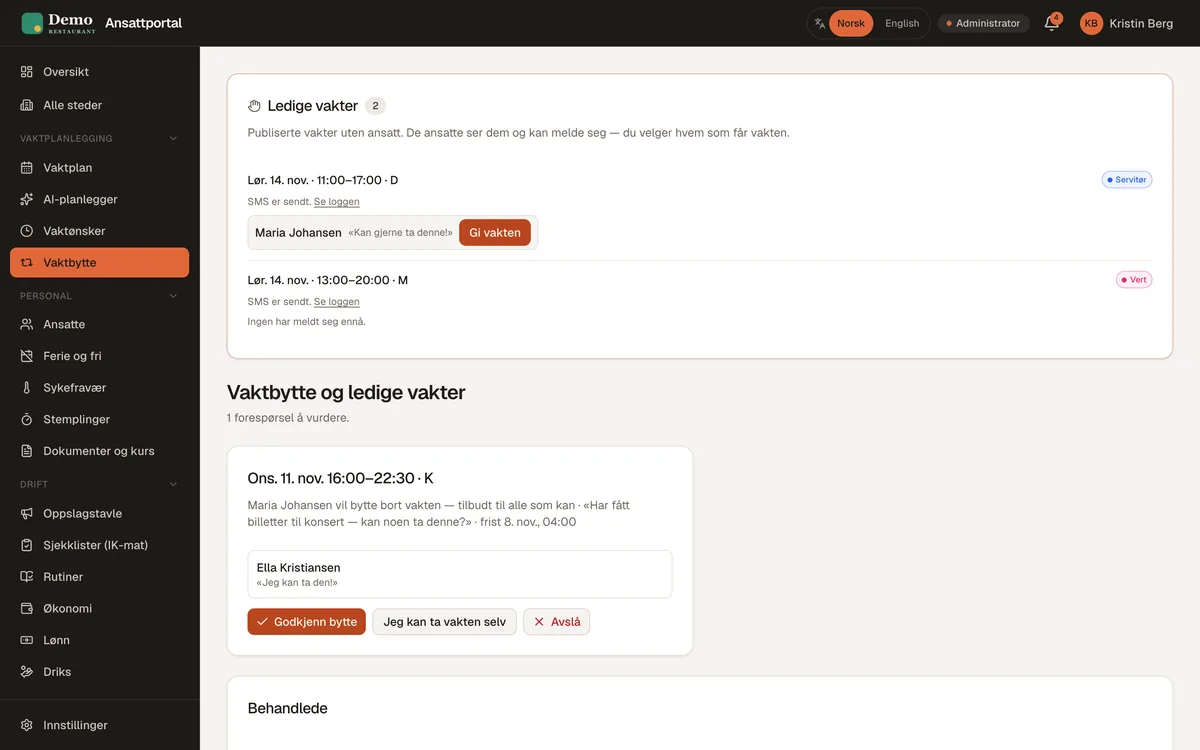
Swaps and open shifts
Open shifts are posted, staff sign up, and you approve with one tap.
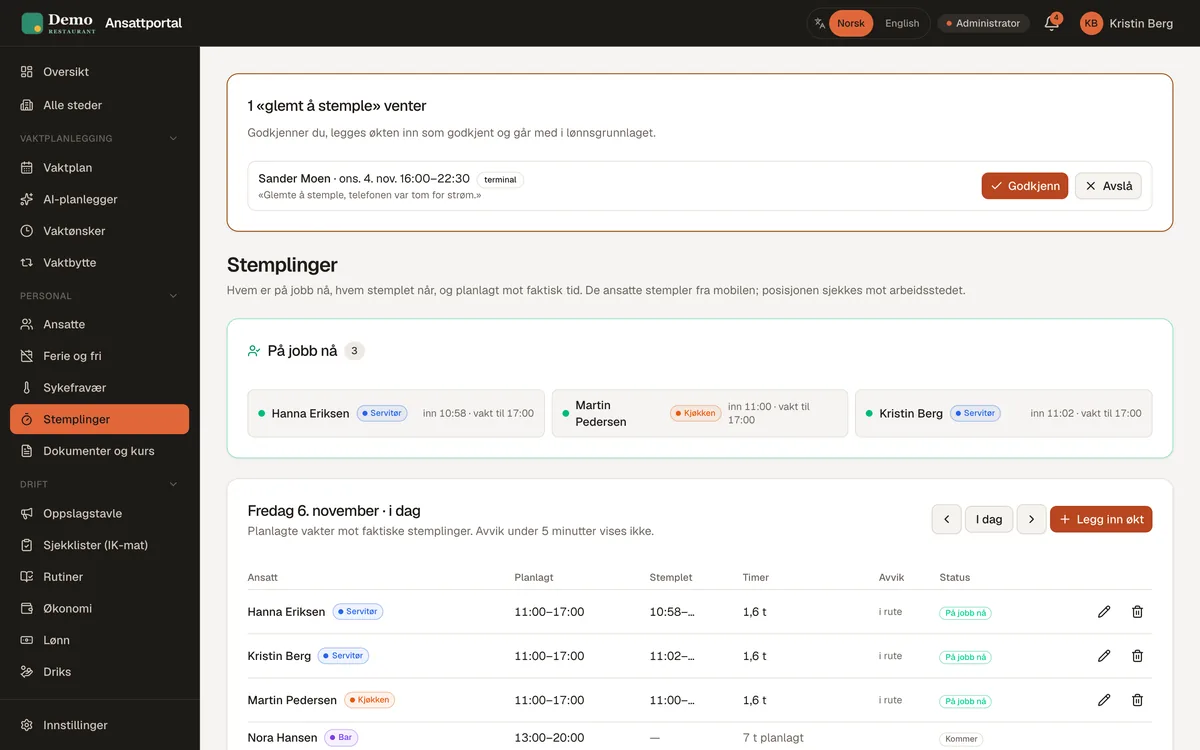
Who is at work now
Planned against actual time, forgotten clock-ins and deviations, on one page.
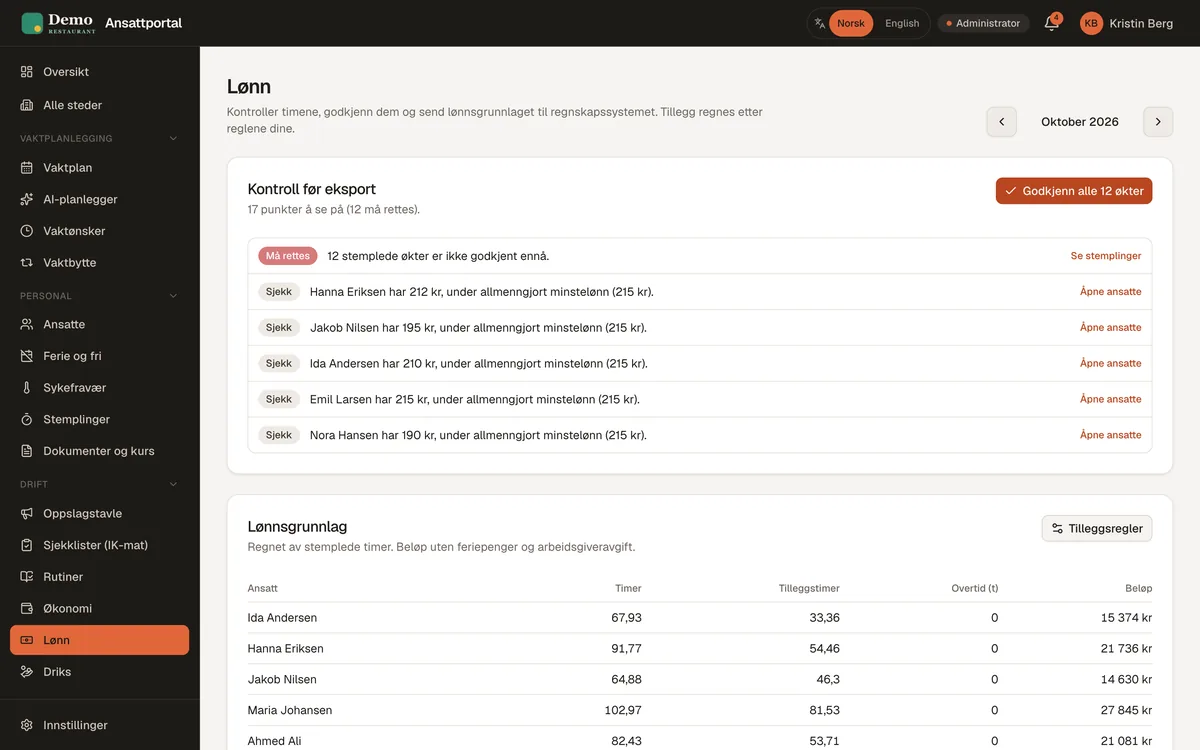
Checks before export
Unapproved hours and deviations show up before the payroll data goes to your accounting system.
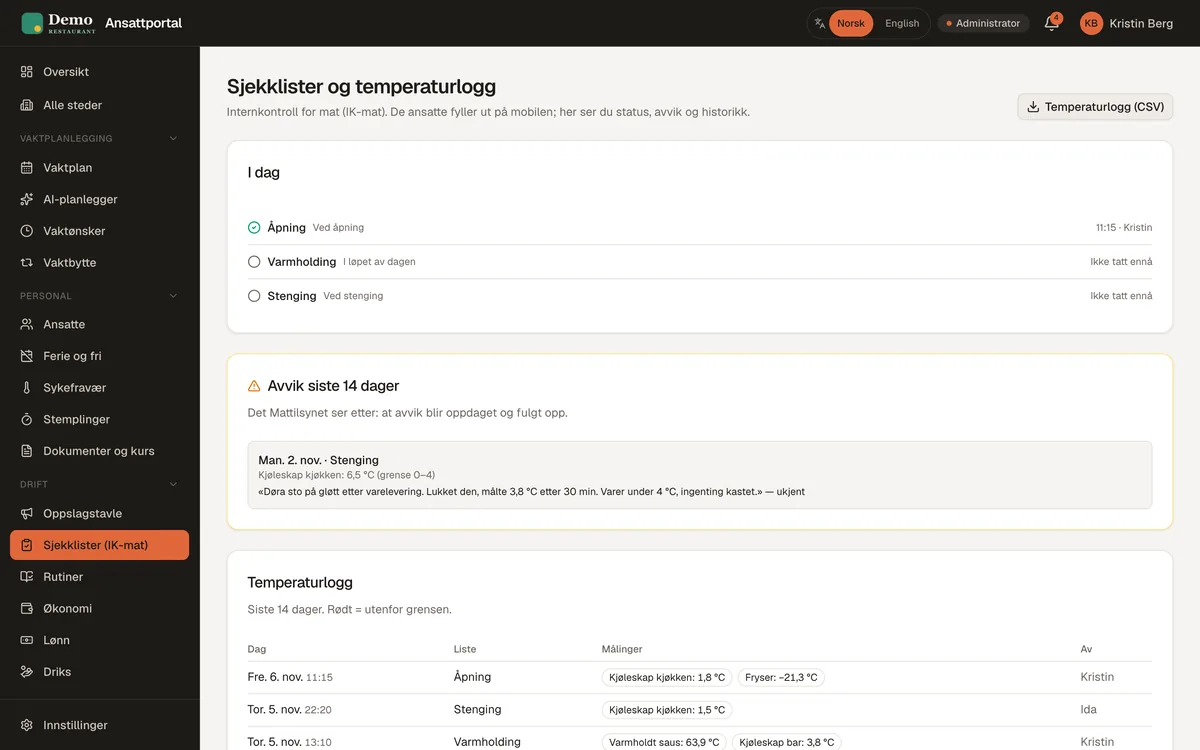
Checklists and temperature log
Opening, hot holding and closing on the phone. Deviations go straight to the manager.
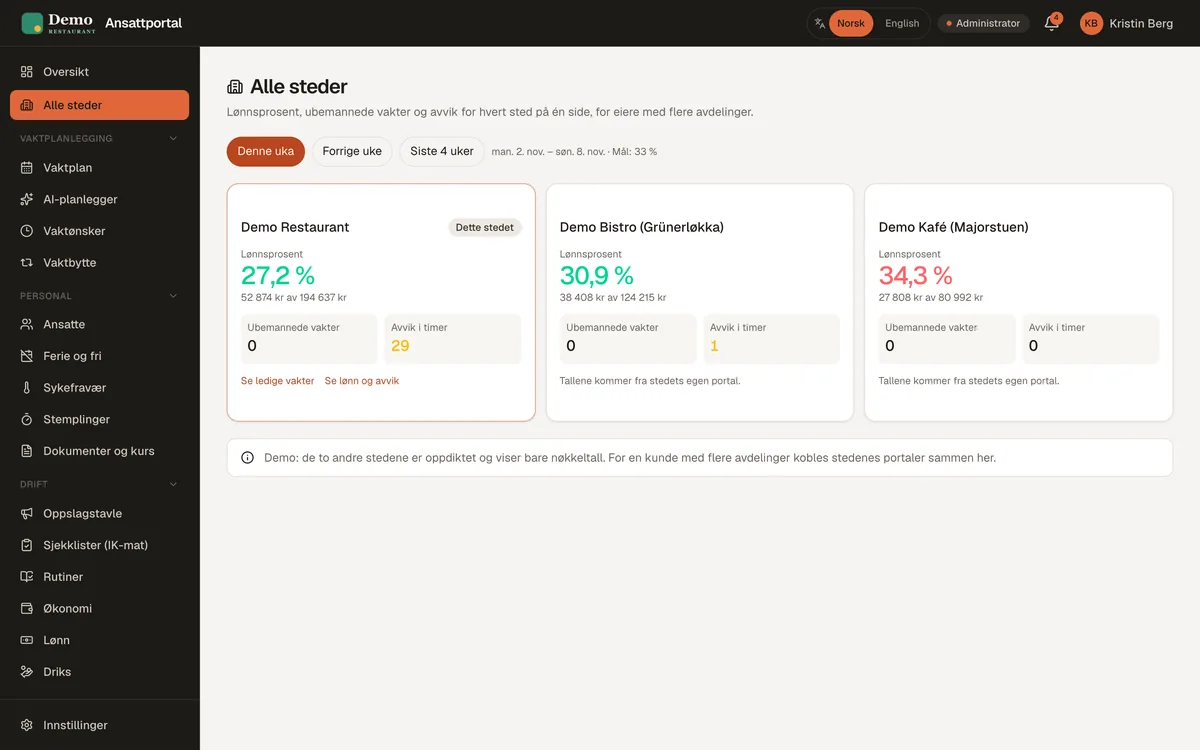
All sites on one page
Labour percentage, unstaffed shifts and deviations per site, for owners with several locations.
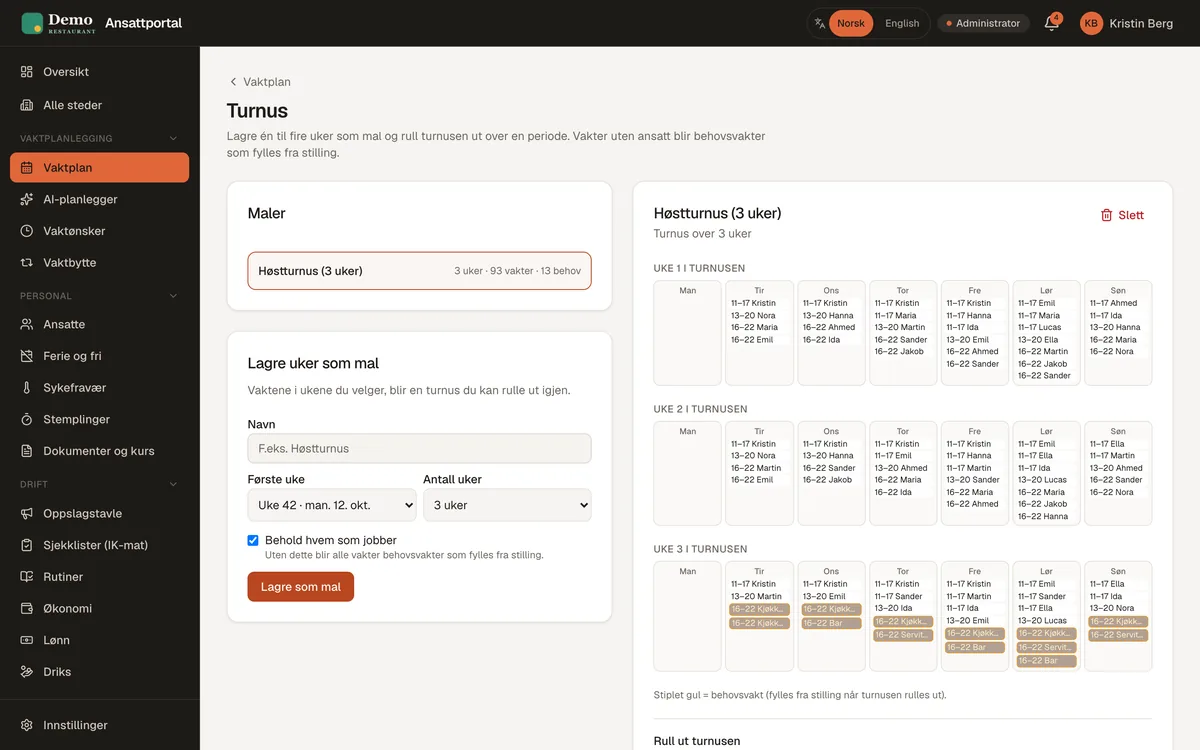
Rotas and rotations
Build the rota week by week, or save one to four weeks as a rotation and roll it out over a period. Shifts without an employee become open shifts filled by the right role.
- Publish and get confirmations from staff
- Copy, split and see the history of every shift
- Staffing targets per day and a warning when something is missing
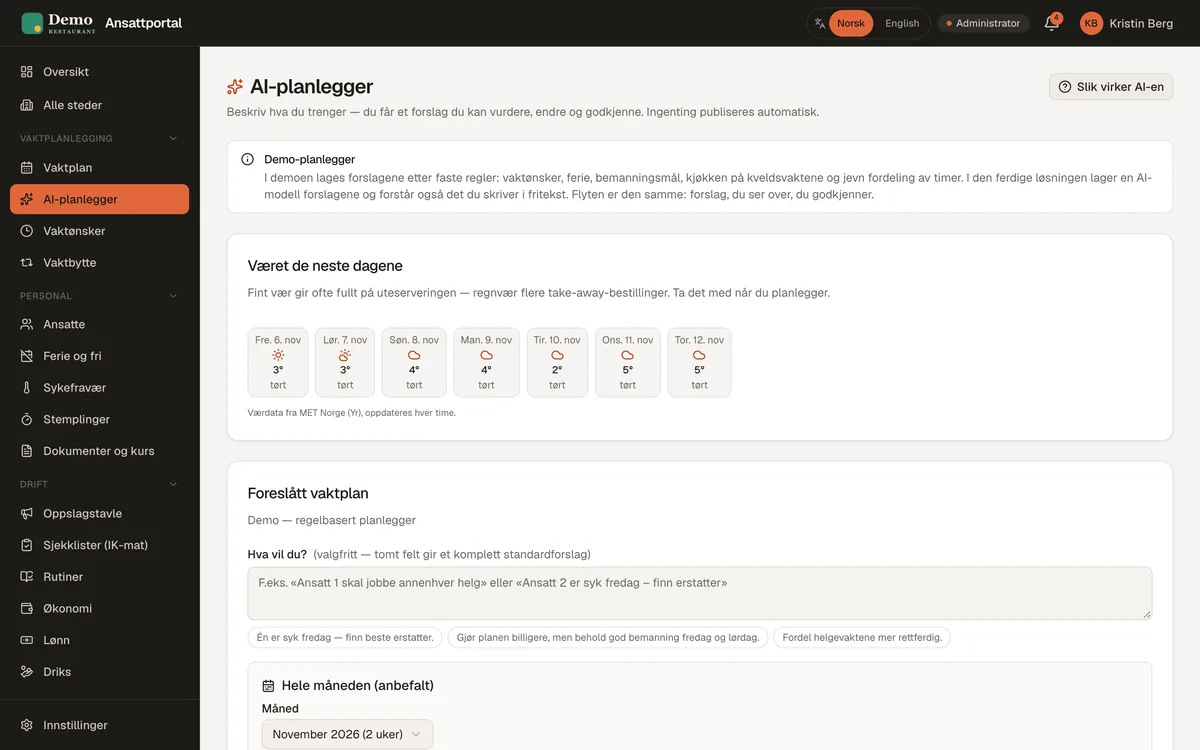
Rota suggestions
Describe what you need in plain words, for example "three in the kitchen on Saturday evening", and the system suggests a rota based on wishes, rules and staffing. You adjust and publish.
- Accounts for shift requests, holidays and rest rules
- Nothing is published without your approval
For staff, on the phone
No app to install. Staff see and confirm their shifts, enter wishes, swap shifts, pick up open shifts and call in sick.
- The next shift and who they work with
- Calling in sick asks the others automatically if someone can take the shift
- Push notifications and shifts in the calendar
- Norwegian or English, as each employee prefers
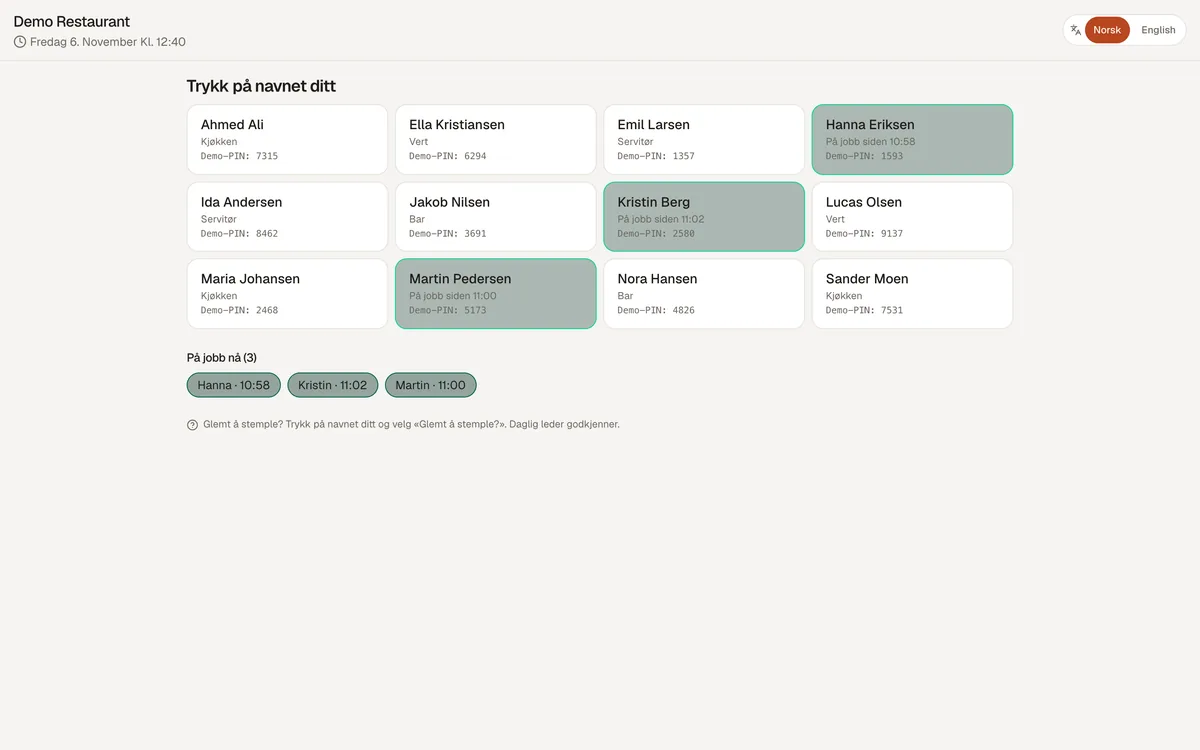
Time clock on phone and terminal
Staff clock in and out on their phones when at work, or on a terminal by the door with a personal PIN. Forgotten clock-ins are approved by the manager.
- Planned against actual time and deviations on one page
- Who is at work now
- Automatic clock-out if someone forgets
Payroll data ready for accounting
Supplements for evenings, nights, Saturdays, Sundays and public holidays are calculated by the rules you set, together with overtime. Before export, the system shows unapproved hours and deviations.
- Export to Tripletex and PowerOffice, and a file for Visma and Fiken
- A warning if an hourly wage is below the minimum wage
- Staff see their own hours and supplements
Working-time rules, checked for you
The system warns you before the rota is published, not after it is too late.
- Less than 11 hours' rest and 35 hours' weekly rest
- Over 9 hours in a day and over 40 hours in a week
- The rules for staff under 18, such as evening shifts after 9 pm
- The notice period for the rota and changes after publishing
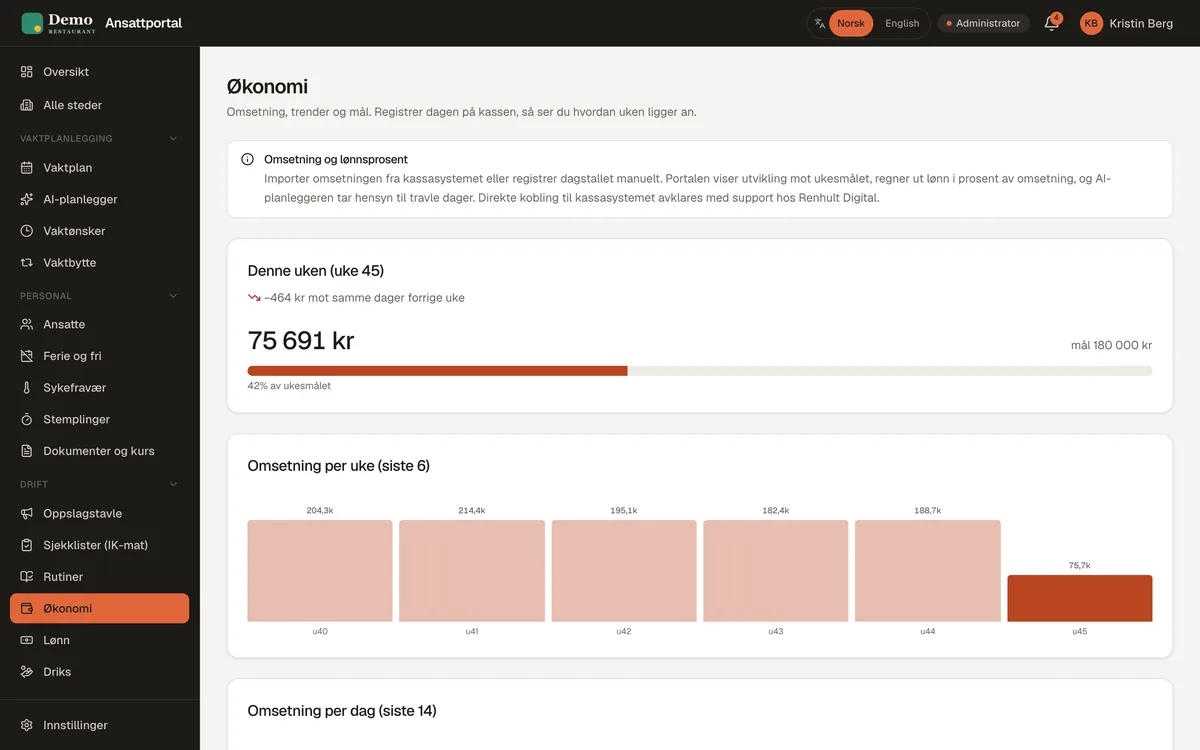
Sales, labour cost and bookings
Import sales from your till and see forecasts and labour percentage right in the rota. Table bookings can be shown next to staffing.
- A labour percentage target with warnings
- Staffing against expected sales hour by hour
Food safety, routines and documents
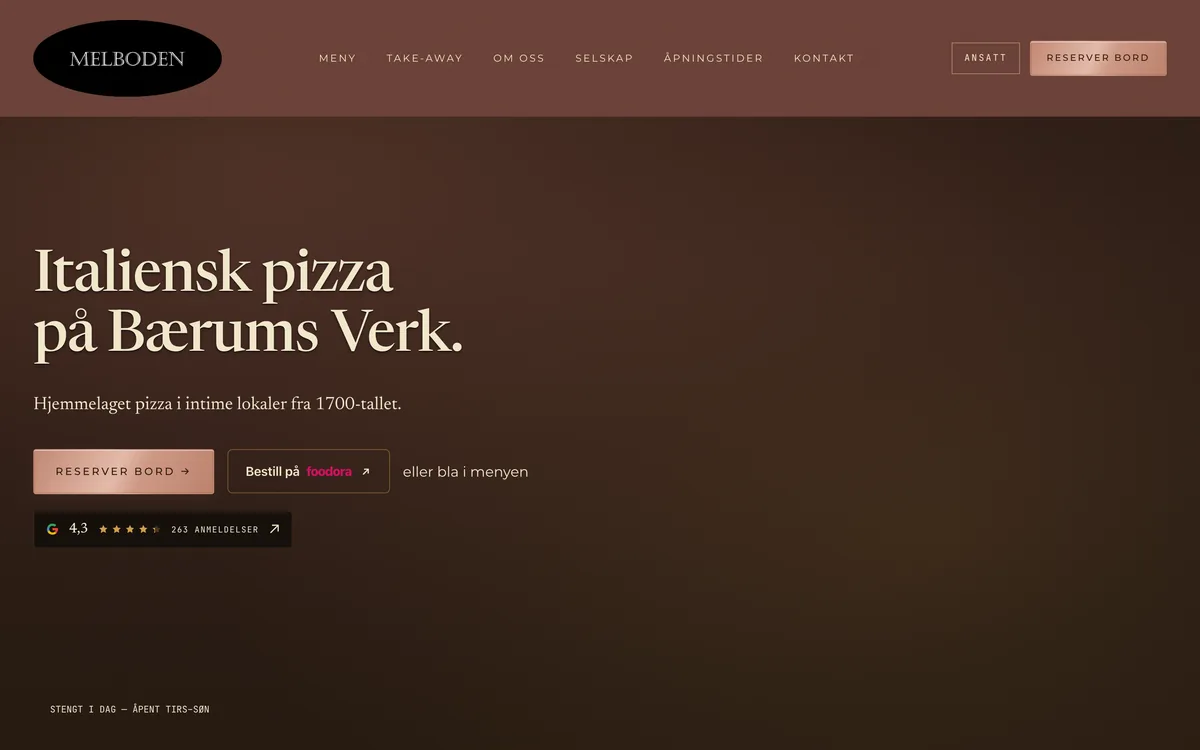
Checklists for opening, hot holding and closing, and temperature logs on the phone. Routines staff sign off on, and contracts and documents signed digitally.
- Deviations go straight to the manager
- Temperature log as a file for inspections
- Reminders before courses and documents expire
Tips, SMS and several sites
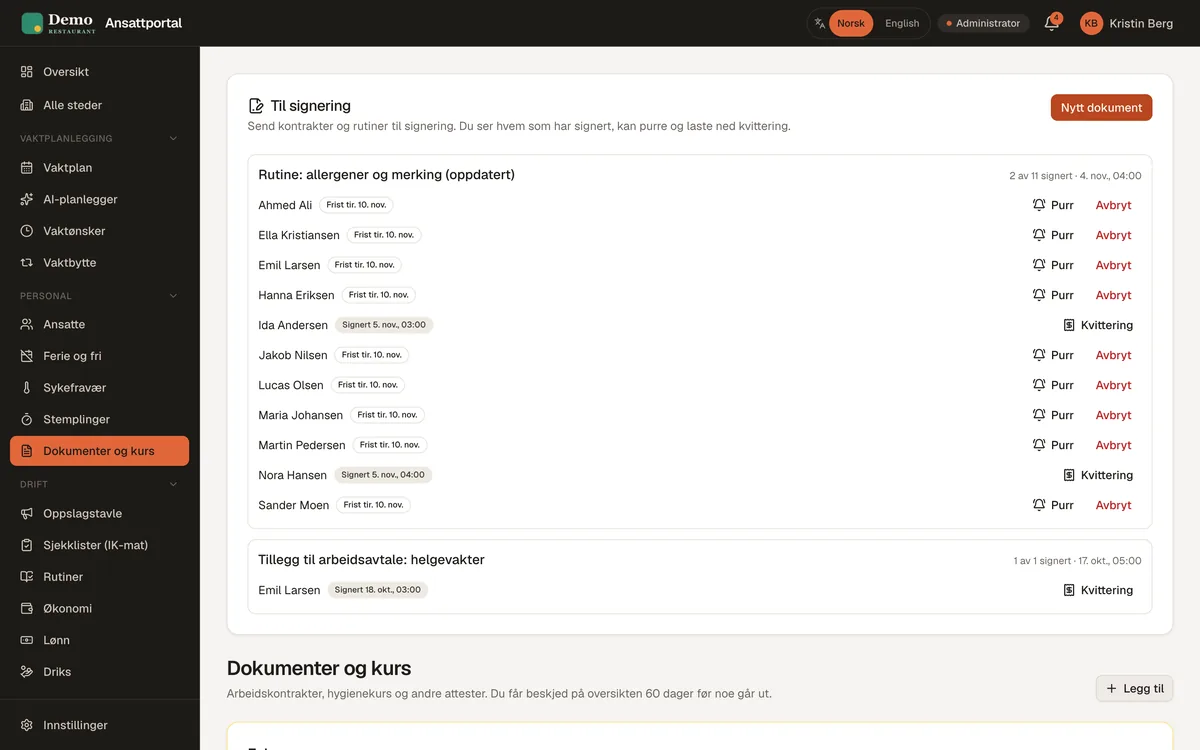
Split tips by hours or station. Send an SMS to the right people when a shift needs filling fast. With several sites, each site gets its own rota and the owner one shared overview.
- Tips are included in the payroll data
- SMS is optional and paid per use
- Labour percentage and deviations per site on one page
The website from the same place
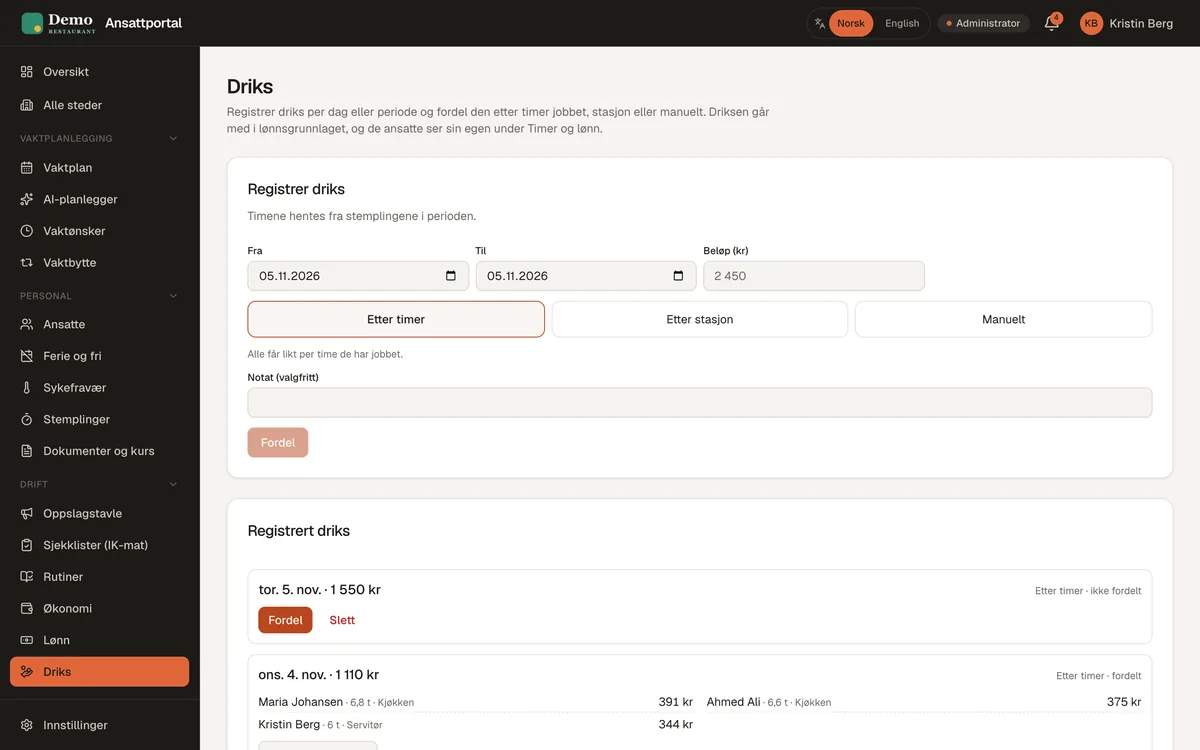
If your website is from me, you change menu, prices, opening hours and events in the system, and it appears on the website and in Google straight away.
- Also works without a website from me
How it works
Staff system
-
Day 1
A short chat
15 minutes by phone or e-mail about how you work today: roles, opening hours and what takes the most time.
-
Within a week
Free demo with your setup
You get the system set up with your opening hours, roles and logo, and try it as a manager and as an employee.
-
When you say yes
Everything is entered
I enter staff, rules, routines and checklists. Anything you don't need, I remove.
-
Start
Training and first rota
A short walkthrough for managers and staff, and we build the first rota together.
-
Afterwards
Support and adjustments
You reach me by phone and e-mail. Small changes are included in hosting.
Price
from NOK 20,000 excl. VAT
One-off price, no per-employee fee. Hosting with backups and small changes is optional: NOK 190 a month, or NOK 290 together with a website. Launch offer until the end of November: from NOK 12,900.
It could easily take four hours a month on the rotas, and now it takes me an hour at most.
Compared
Staff system or subscription app?
Most scheduling apps charge per employee every month, for as long as you use them. Here is the difference.
| Typical subscription app | Staff system from Renhult Digital | |
|---|---|---|
| Price | Per employee per month, for as long as you use it | One-off price from NOK 20,000. Hosting optional, same price however many staff |
| Customisation | The same setup for every customer | Tailored: roles, rules, routines, checklists and your own requests |
| Norwegian working-time law | Varies between providers | Built in, including the rules for staff under 18 and the rota notice period |
| Food safety and routines | Often a separate system or add-on | Checklists, temperature logs and routines with sign-off included |
| Payroll | Varies between providers | Supplements and checks, export to Tripletex, PowerOffice, Visma and Fiken |
| Website | Not connected | Menu, opening hours and events managed from the same place |
| Ownership and lock-in | The provider owns it, often with lock-in | You own the system and the data, no lock-in |
| Support | Customer service | Directly with the person who built it |
The comparison is general. Subscription products differ, and for large chains they may be the better fit.
Do the maths
What does a per-employee app cost?
Enter the number of staff and what you pay per employee per month, and see what it adds up to.
Typical scheduling apps cost roughly NOK 30–80 per employee per month. Enter what you pay today for an accurate figure. Prices exclude VAT.
Trust
Your data and your system
A staff system holds hours, pay and personal data. This is how I look after it.
You own the data
Everything can be downloaded at any time. Code, domain and accounts can be in your name, so you are never locked to me.
Stored in Europe
The system runs on Cloudflare, with the database in Europe and automatic backups.
Logins and roles
Every employee has their own login and only sees their own data. The manager decides who is a manager.
Data processing agreement
When I host the system, we sign a data processing agreement before we start, as GDPR requires.
Direct support
You talk to the person who built the system, by phone and e-mail, and get an answer within one working day.
No lock-in
One-off price. Hosting is optional and can be cancelled at any time.
Questions and answers
Frequently asked questions
Can we try it first?
Yes. The demo can be tried without logging in, as the manager or as an employee. You also get a free demo with your own setup before you decide.
What does tailored mean?
Roles, opening hours, supplement rules, routines, checklists and logo are set up for you. Anything you don't need, I remove, and anything you miss can be added.
How long does it take to get started?
You get the demo with your setup within a week. When you say yes, I enter staff and rules, and you can make the first rota within a few days.
What does it cost per month?
Nothing per employee. Hosting is optional and costs NOK 190 a month. Rota suggestions are included in hosting. SMS is paid per use if you switch it on.
Does it work with our payroll system?
Payroll data can be exported to Tripletex and PowerOffice, and as a file for Visma and Fiken. Payroll itself is run in your accounting system, as before.
Some of our staff don't speak Norwegian. Is that OK?
Yes. Each employee chooses Norwegian or English, and notifications and e-mails arrive in that language.
What happens to the data if we stop?
You own it and can download it at any time. Code and accounts can be in your name, so you are never locked to me.
Does it work for businesses other than restaurants?
The system is made for hospitality: restaurants, cafés, bars, bakeries and catering. If you have shifts and a busy day, it probably fits.
Want to see the system set up for you?
A free demo with your roles and opening hours within a week. No commitment.